What color mode should my file be?
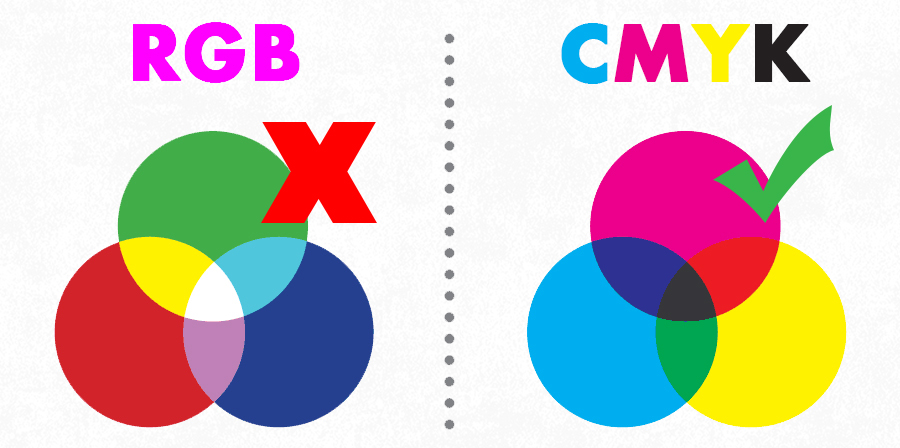
You should send us your files in CMYK mode since it's the mode used for color printing. If you send us a RGB file, there'll be a color shift when it's converted to CMYK and the printed work is going to look different to the one you sent.
The reason this color shift occurs, is because the RGB color scheme has a greater range of colors than CMYK, allowing it to produce more vibrant colors. Printing colors produced in RGB mode will come out darker and duller than they seem on the monitor. However, because of the greater range of colors RGB mode has, files shown in CMYK mode will always show up accurately on screen.
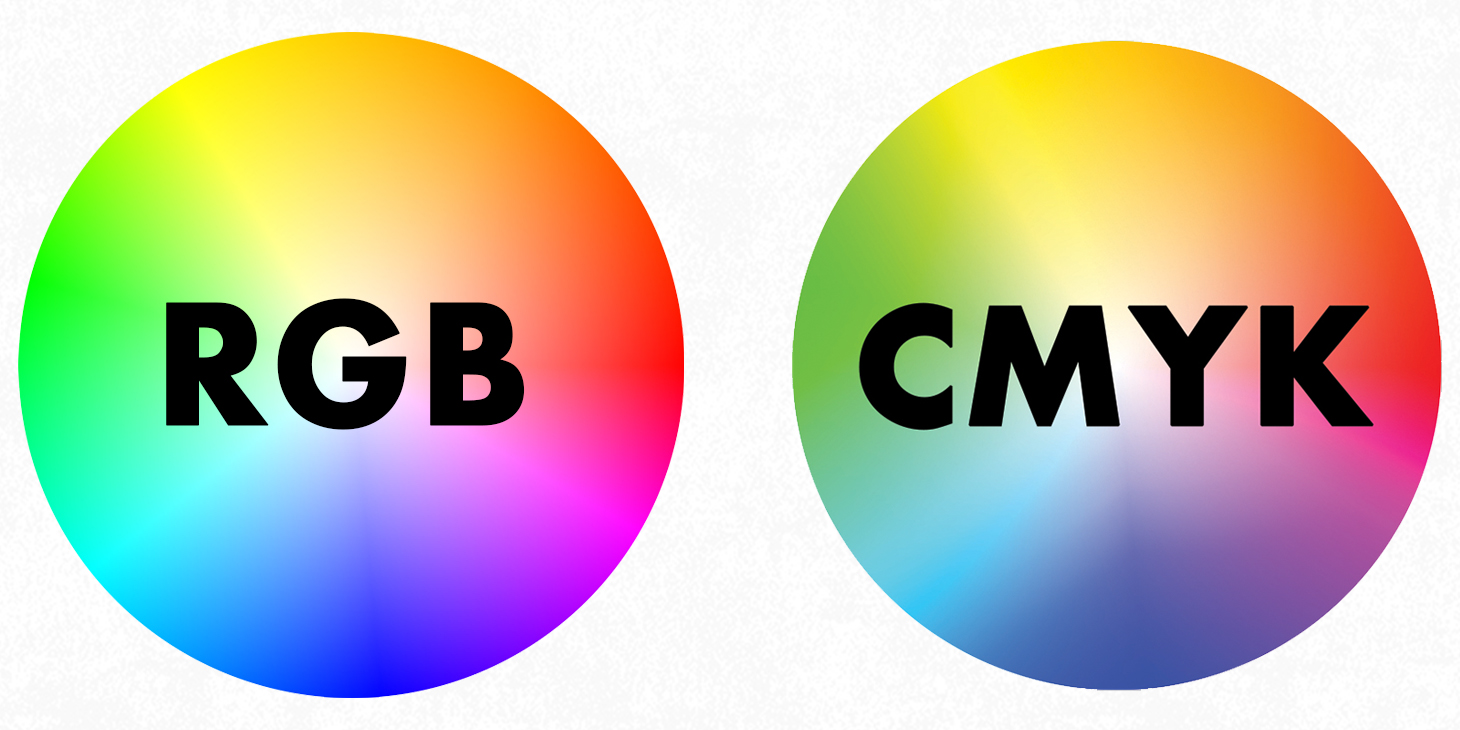
Here are some examples of how the convertion from RGB to CMYK can affect your images.


To get a better representation of how your final print will look, choose CMYK when creating a new file. Keep in mind, however, that an uncalibrated monitor may not match the finished print.
 How to convert to CMYK in Photoshop
from RGB
How to convert to CMYK in Photoshop
from RGB
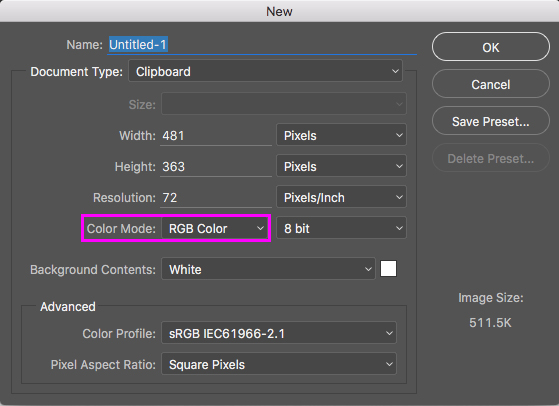
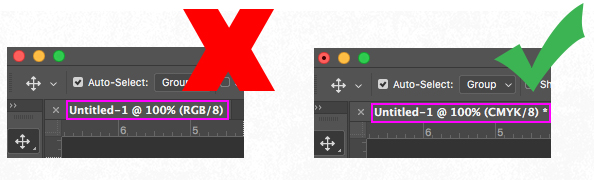
You can also check if the file you're working with is in CMYK or RGB mode in the tab at the top-left corner of the screen.
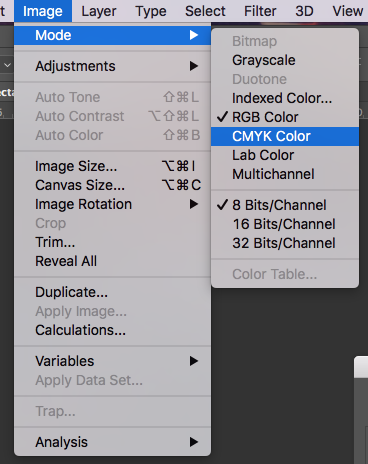
Here's how you can change your file mode from RGB to CMYK in Photoshop, simply by going to Image > Mode > CMYK color
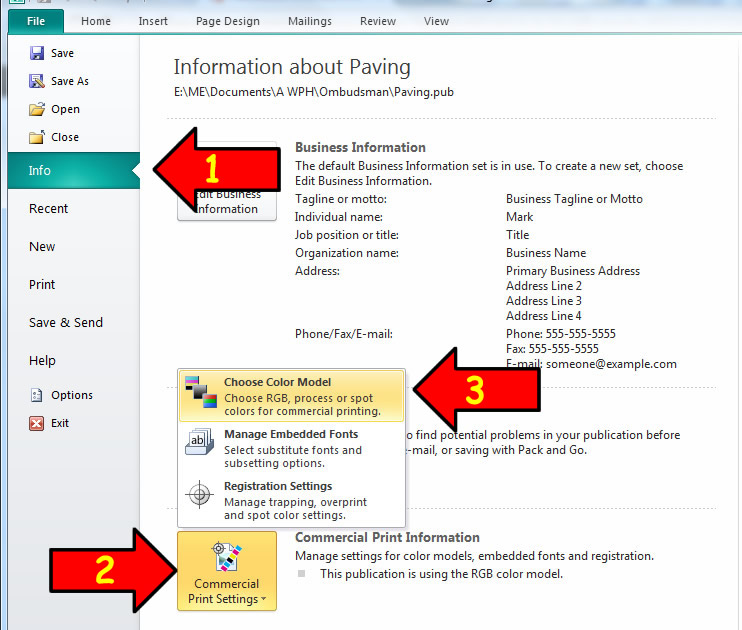
 How to convert in Microsoft Publisher
In Publisher you can go to File > Info > Commercial Print Settings > Choose Color Model > Process Colors (CMYK)
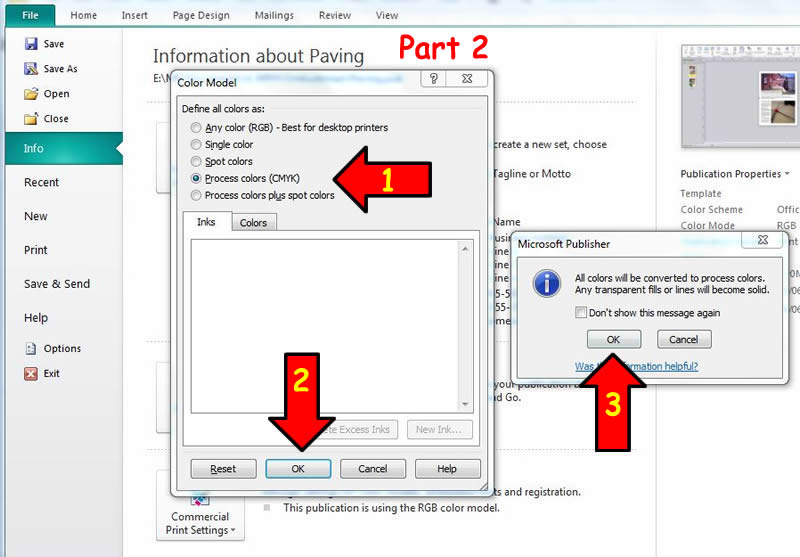
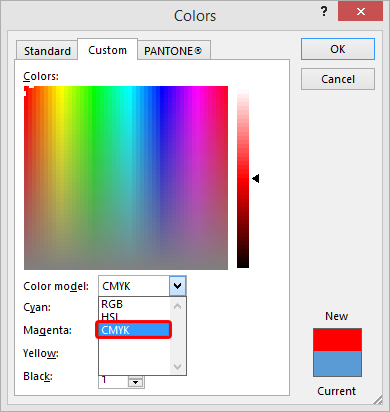
You can also change the color model in the Colors selection window
 How to convert in PowerPoint